



Silicon Labs Tool (SLT)
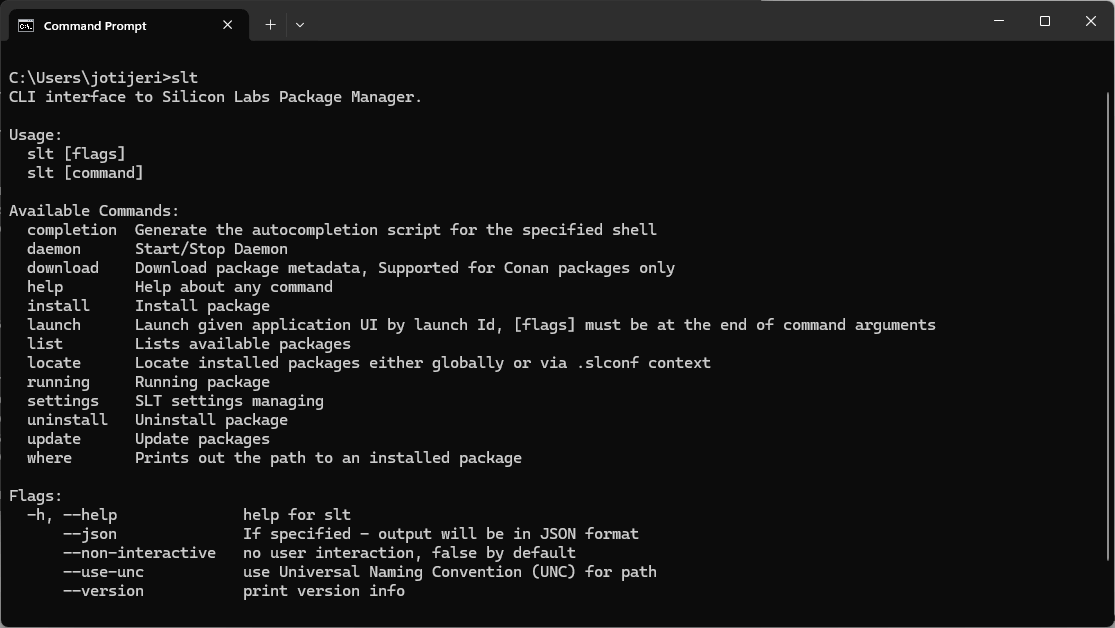
Silicon Labs Tool (SLT) is a command-line utility that installs and manages the full Silicon Labs development environment; SDKs, build tools, and the SLC configurator. Designed for GUI-free workflows, SLT enables developers to set up consistent, scriptable environments ideal for both individual use and team-wide automation. Once installed, projects can be created, configured, and built entirely from the terminal using SLC, enabling seamless integration into CI/CD pipelines and cross-platform development without relying on Simplicity Studio’s graphical interface.
- Overview
Overview
Key Features
Headless installation of SDKs, tools, and the SLC CLI
Scriptable environment setup ideal for CI/CD and automation workflows
Enables full terminal-based development, from project creation to firmware build
Ensures consistency across teams with shareable, reproducible toolchains
Cross-platform support for Windows, macOS, and Linux
- Getting Started
Getting Started
Download SLT to install and setup the Command Line Development Environment
SLT is a command line utility used to install SLC, SDKs, and development tools and setup the development environment using terminal commands.

- Tech Docs
Tech Docs
Documentation
Access the latest guides and technical documentation below. Look for documentation specific to your tool.
- Community & Support
Community & Support
Join the Community & Get Support
Post questions or browse discussions on the Silicon Labs Community. Check out developer blogs, application notes, and training videos.