



- 1. Hardware & Boards
- 2. Environment & Workspace Setup
- Overview
Overview
The Simplicity SDK for Zephyr delivers the full power of the Zephyr Real-Time Operating System (RTOS) combined with the quality assurance, reliability, and white-glove support Silicon Labs is known for.
Delivered as a downstream, fully QA’d version of the Zephyr codebase, this SDK provides a stable foundation for developing Bluetooth–enabled IoT devices across Silicon Labs’ hardware portfolio — including EFR32 -xG22, -xG24, -xG27, -xG29, and SiWx917.
As a Platinum member of the Zephyr Project under the Linux Foundation, Silicon Labs actively shapes the project’s roadmap and contributes to long-term sustainability. By aligning open-source innovation with Silicon Labs’ rigorous software standards, developers gain a production-ready Zephyr experience with the same high-quality support available for all Silicon Labs SDKs.
Key Features
Fully Qualified and Supported Release - Every version of the Simplicity SDK for Zephyr undergoes Silicon Labs’ comprehensive QA process, ensuring stability, performance, and long-term reliability.
Bluetooth Support - Supports Bluetooth LE across EFR32 Series 2 devices, enabling a broad spectrum of connected applications.
Seamless Migration Path - Zephyr developers can migrate existing applications to Silicon Labs devices with minimal firmware changes, leveraging familiar APIs and frameworks.
Integrated Peripheral and Stack Support - Includes proven peripheral drivers and wireless stacks to simplify application development and reduce bring-up time.
White-Glove Silicon Labs Support - Backed by industry-leading technical support, extensive documentation, and community engagement — bridging open-source flexibility with enterprise-grade assistance.
Why Choose Simplicity SDK for Zephyr
- Accelerate Time-to-Market
Develop, test, and deploy faster using an SDK built on the Zephyr ecosystem — no need to reinvent or refactor existing codebases. - Lower Development Barriers
Streamlined setup, familiar APIs, and a curated set of examples reduce the learning curve for first-time Silicon Labs users. - Confidence in Quality
Each release inherits Silicon Labs’ long-standing commitment to quality and security, ensuring predictable performance across platforms. - Unified Open-Source Experience
Enjoy the advantages of open development and collaboration without compromising on stability or support.
What Do Customers Need to Do to Get Access to Zephyr Repos Today?
Everything is available on GitHub, and the entire repository is open source, so no special access is needed. Anyone can freely download it and start their project.
Upstream: https://github.com/zephyrproject-rtos
Downstream: https://github.com/SiliconLabsSoftware/zephyr-silabs
How is Simplicity SDK for Zephyr Different from Simplicity SDK?
Simplicity SDK for Zephyr is an MCU-independent platform, so any MCU vendor can be used for a single project. Zephyr also provides pre-implemented services, such as MQTT, and various device drivers, like LCD displays, making them very easy to use.
The Simplicity SDK, on the other hand, is tailored specifically for Silicon Labs products. Therefore, if someone aims to achieve the best performance — for example, the lowest current consumption — the Simplicity SDK is the better choice.
What Product Features are Currently Supported within Zephyr?
The majority of the peripherals, BLE and proprietary. However, there are some Silicon Labs–specific peripherals and features that are currently not supported in Zephyr, such as PRS or UART oversampling.
- Developer Journey
Developer Journey
Zephyr Developer Journey with Silicon Labs
Get Started
Develop
Deploy Product
Select a supported evaluation kit and locate the corresponding Zephyr board name.
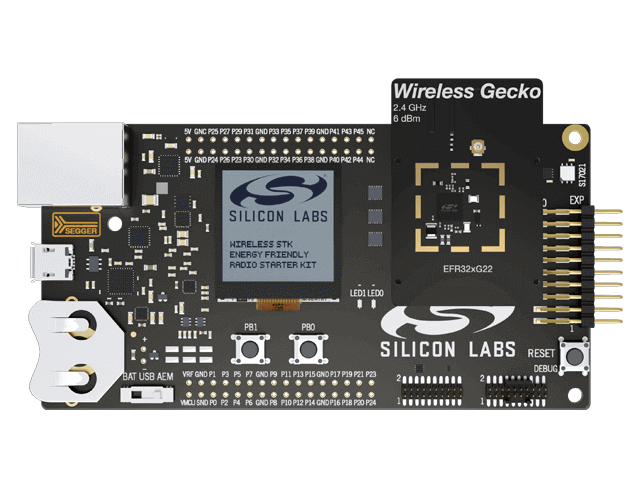
xG22
- xG22 Starter Kit SLWSTK6021A
- Additional Radio Boards:
- BRD4311A - XGM240-RB4316A
- xG22 Explorer Kit BG22-EK4108A
- xG22Thunderboard SLTB010A
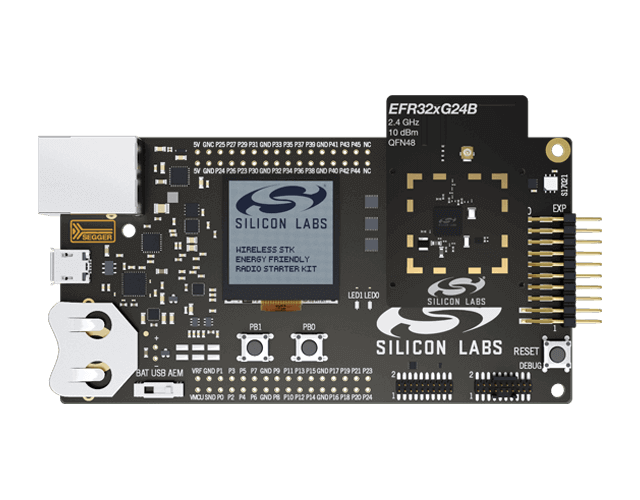
xG24
- xG24 Pro Kit xG24-PK6009A
- Additional Radio Boards:
- xG24 Explorer Kit xG24-EK2703A
- xG24 Dev Kit xG24-DK2601B
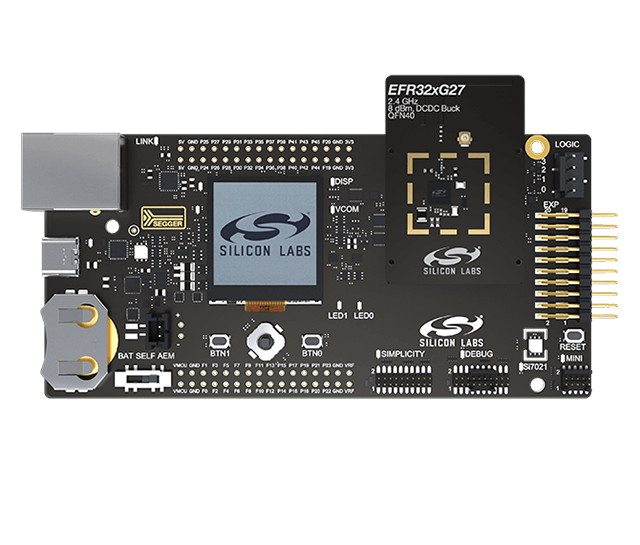
xG27
- xG27 Pro Kit xG27-PK6017A
- Additional Radio Boards:
- xG27 Dev Kit xG27-DK2602A
SiWx917
- SiWx917 Pro Kit SiWx917-PK6031A
- SiWx917 Dev Kit SiWx917-DK2605A
Install required host tools and toolchains for your OS, then set up your Silicon Labs Zephyr workspace (including any required radio libraries).
Build and run your application on target hardware, then use your IDE to set breakpoints, step through code, and inspect RTOS threads and peripherals.
Adjust features with Kconfig and wire up hardware with Devicetree and overlays.
Profile device current draw and optimize power states; validate radio performance (Bluetooth LE and Wi Fi) with range/throughput/PER checks, scanning/connection quality, and airtime analysis. Use logging/tracing to correlate events and regressions; iterate on Kconfig/Devicetree and application logic.
Plan and execute protocol qualification/certification and related pre cert testing. Identify required test suites, approved test tools, and program requirements for your protocol(s).
Prepare production images and set up factory programming, provisioning, and traceability. Define serialization and labeling, establish calibration and functional test steps, and choose programming/provisioning tooling that fits your line (e.g., lab vs. automated fixtures).
Get Started
1. Hardware & Boards
2. Environment & Workspace Setup
Develop
1. Develop & Debug
2. Configure & Customize
3. Measure & Iterate
Deploy Product
1. Qualify Product
2. Manufacture Product
- Tech Docs

- Community & Support
Community & Support
Knowledge Base Articles
Browse our knowledge base articles for information about specific products.
User Forums
Browse technical questions, share your ideas, and learn more about our latest solutions.
Questions? You're in the Right Place.
Silicon Labs has an active, knowledgeable user community of engineers and developers that are enthusiastic about solving problems.
- FAQs
FAQs
Zephyr FAQs
Our experts have answered the most frequently asked questions about Zephyr. Click on each Zephyr FAQ to reveal the answer and additional resources.