



Network Analyzer
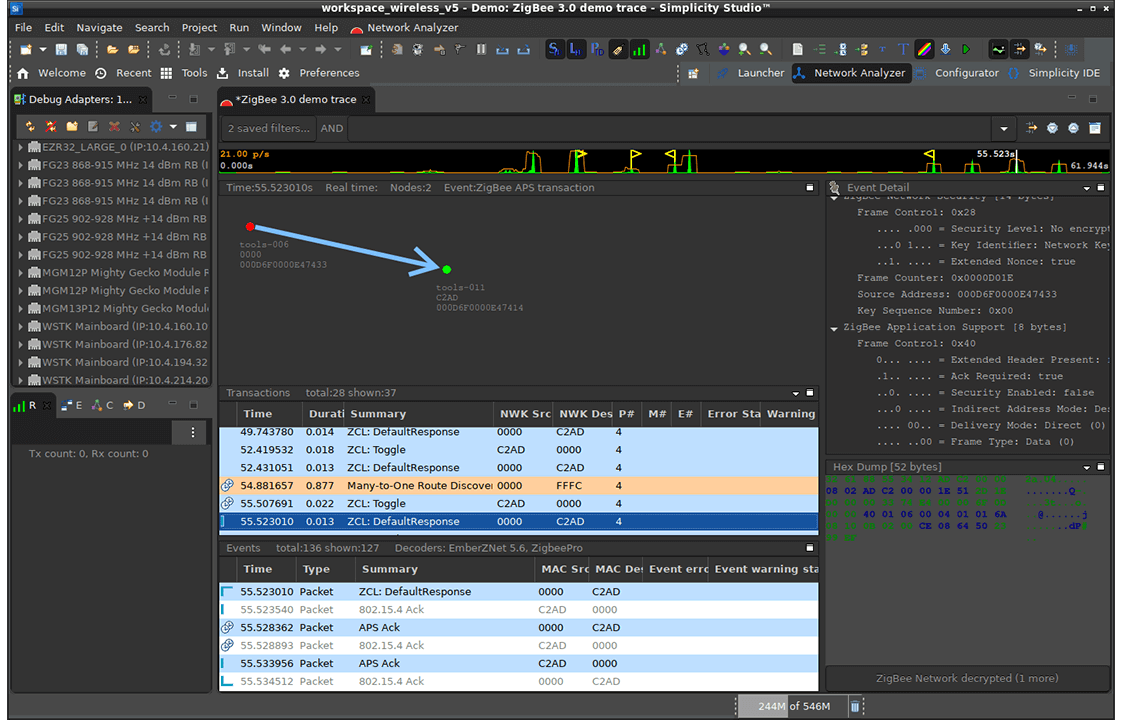
Simplicity Studio® 5 (SSv5)'s Network Analyzer enables debugging of complex wireless systems. This tool captures a trace of wireless network activity that can be examined in detail live or at a later time.
More than simply a packet sniffer, the Network Analyzer works with the data sniffer interface on the Silicon Labs wireless chips to provide direct feedback from the baseband radio of each device, allowing any supported radio to report detailed packet transmission and reception data, such as timestamps, link quality (or LQI), receive sensitivity (or RSSI), and CRC pass/fail results, all without any software overhead.
- Overview
Overview
With SSv5, any PTI-enabled Silicon Labs platform can record the radio activity regardless of the application firmware that is being used, so there’s no need to have a dedicated sniffer device installed to catch the traffic. The Network Analyzer also enables capture from multiple sources simultaneously into the same log file without falsely duplicating packets. This enables the developer to compare how well different radios in the network heard the same transmission.
Key Features
Analyze the data being sent or received by an EFR32 device’s radio
Decode the raw data according to the implemented protocol (e.g. BLE, Zigbee, Z-Wave)
Visualize radio activity as individual packets or transactions (groups of packets)
Capture data from multiple sources into the same log file
- Getting Started
Getting Started
Step 1: Download and Install Simplicity Studio 5
Network Analyzer is currently included with Simplicity Studio 5 as an integrated tool.

- Tech Docs
Tech Docs
Documentation
Access the latest guides and technical documentation below. Look for documentation specific to your tool.
- Community & Support
Community & Support
Join the Community & Get Support
Post questions or browse discussions on the Silicon Labs Community. Check out developer blogs, application notes, and training videos.